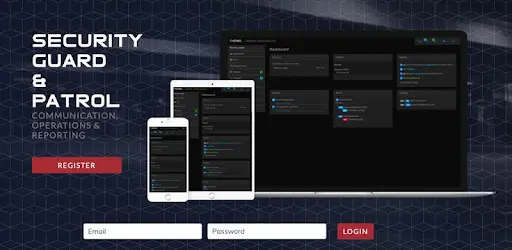
We have released new features that allow your security team to improve the accountability and GPS tracking of your field staff.
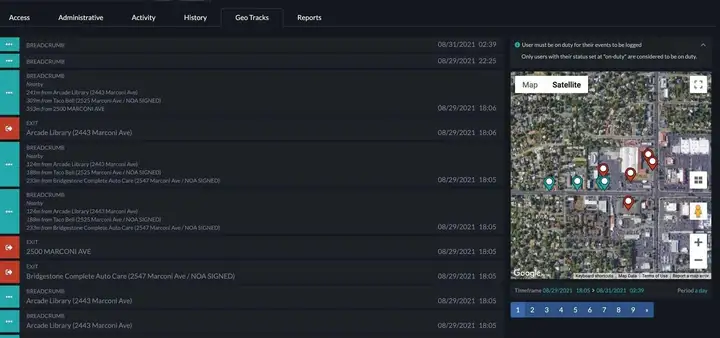
The new features add GPS location enter/exit geo-fence events & GPS location breadcrumb markers under a User's profile and any relevant Location in your account.
GPS Tracking & Geo-Fencing Enhancements
When a User has a Duty Status of "On-Duty" or "On Shift" their GPS is tracked and logged, incrementally. THERMS stops tracking a User's GPS when they clear their status.
GPS location for a User is logged for the following events:
GPS breadcrumb when the mobile app is opened/focused by the User (mobile)
GPS breadcrumb when a Report Entry is created and the GPS is tagged (web & mobile)
GPS tracking a User's geo-fence enter & exit events at your Locations is only a feature when your User's are using the mobile THERMS app that is downloaded from the app stores and will not work if your Users are on the mobile web app version.
To see a User's or a Location's GPS event history, navigate to the profile and select the tab "Geo Tracks":
Special thanks to our THERMS team member Tomas Corridoni for his effort and work on this feature! 🙏👏🏼🎉
This list of new features & improvements applies to the web app. We have a new release coming for the mobile apps that will include new scheduling and GPS features.
The first thing you will notice in the web app is the new color scheme. We are migrating to a completely new look and feel over the coming months. If you are inclined to share feedback and thoughts, email [email protected].
Roster & Users
We have made some improvements to the Roster and User list features in THERMS. We are focused on improving the UI in THERMS to better support on-duty operations and information.
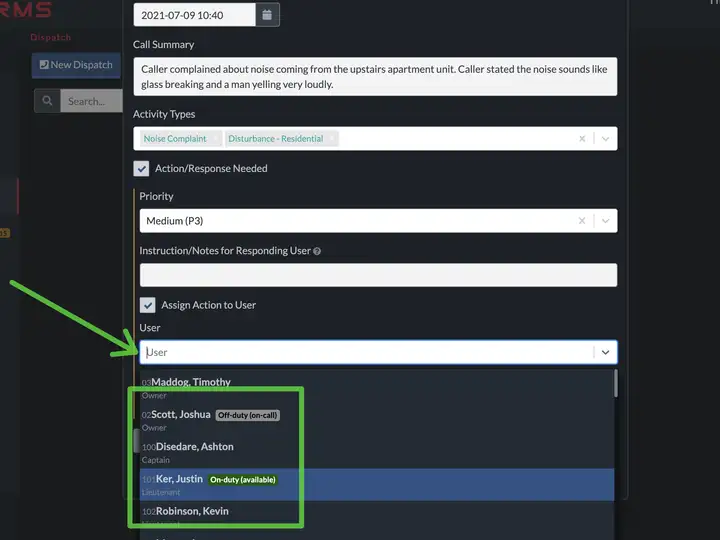
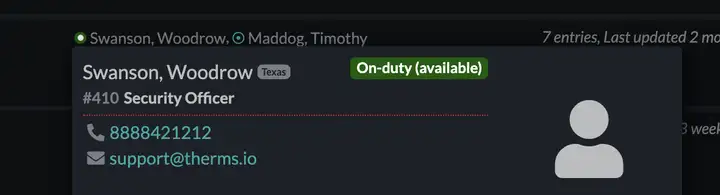
Dispatch Service Call "Assign Action to User" list shows who's "on-duty":
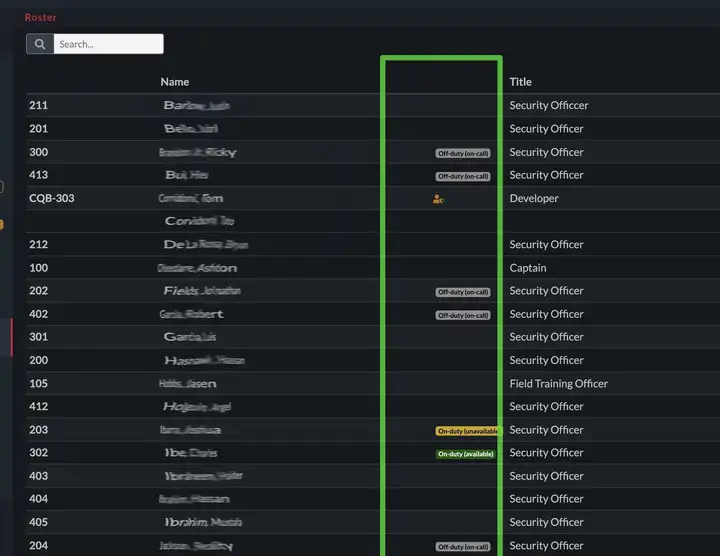
View User "duty status" in the Roster screen list:
Usernames have a new status indicator for "duty status" and online/offline. The color of the User's "duty status" is shown, ie: green/yellow/grey:
Schedule
The Schedule module [beta] has new features and improvements.
📢 Special thanks to Ozzie from GA Asset & Protection for helping!
Weekly hours total and per User weekly total hours scheduled:
Download Schedule Timelogs - this will support the ability to process payroll for specific pay periods by downloading the clock in/out Timelogs for a date range, ie: July 1st-15th:
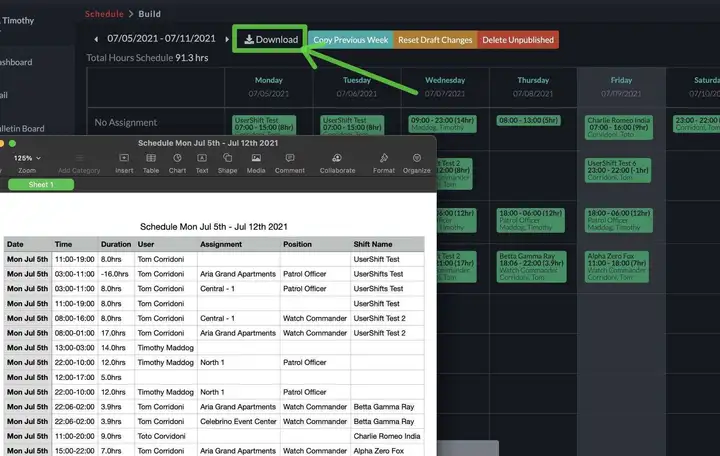
Download published Schedule for a week:
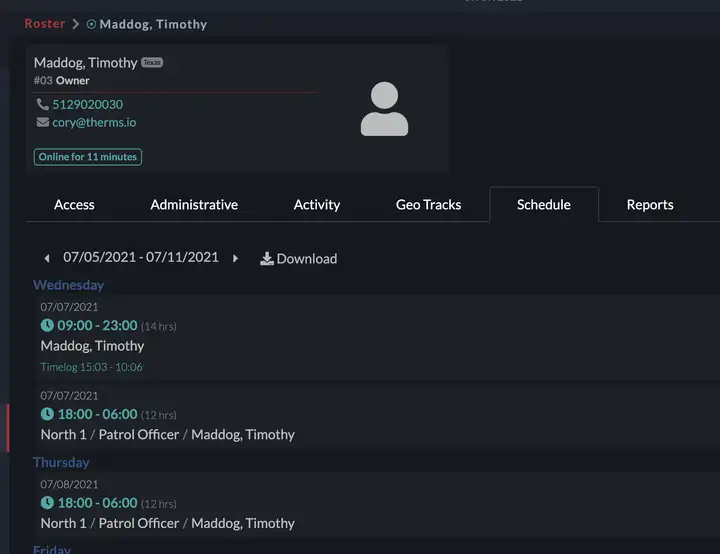
View a User's published Schedule under the User's profile:
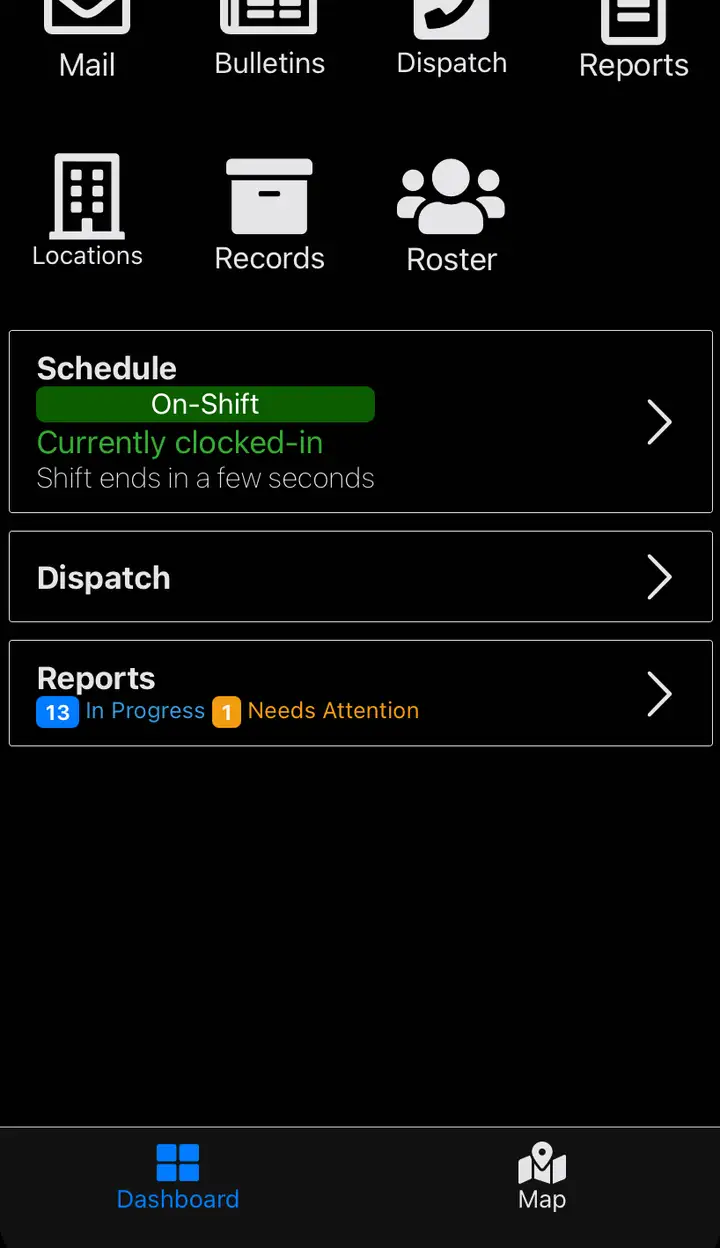
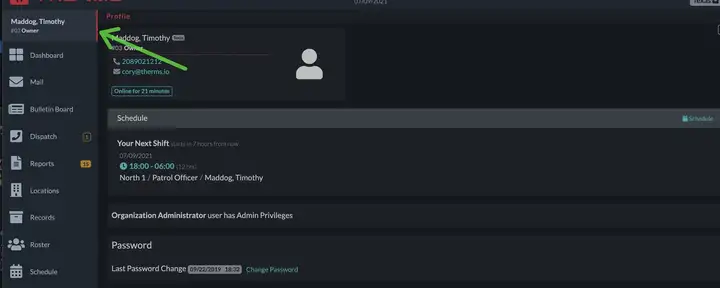
A User can click/press on their name on the web app and see their current schedule status:
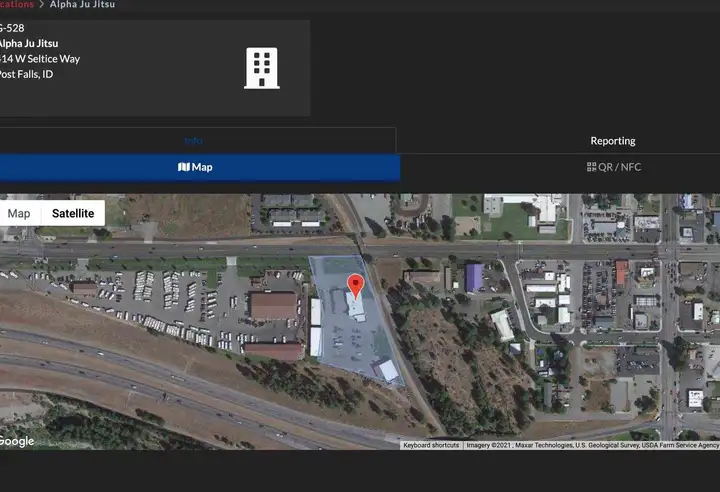
We have added a new feature that gives you the ability to draw a geo-fence perimeter around your Locations.
This feature will provide support for future features with GPS clock in/out and geo-fence events of your Users.
Location Geo-Fencing for Security Operations
To create your geo-fences, go to a Location, select the dropdown in the top-right and select edit. Scroll down and you will see the map with the option for "New" to create the perimeter geo-fence.
Geo-fence perimeter drawn around your Locations will help with GPS tagging in Reports, arrive/depart timestamps from your Users and also provide a visual guide to your on-duty security team of where the Location boundaries are located on the map.
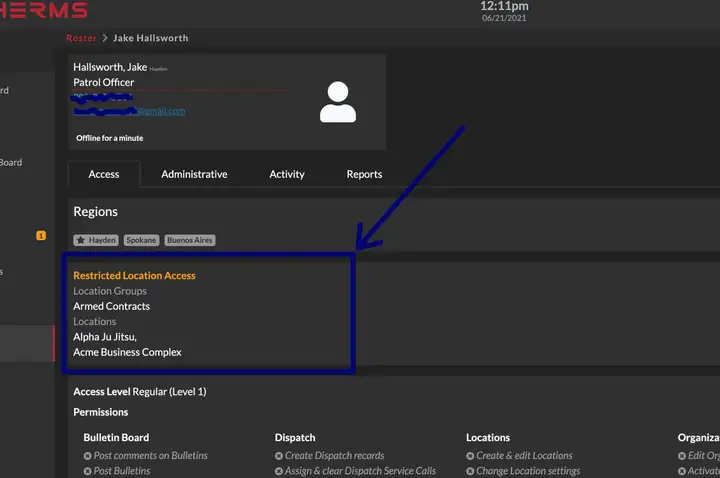
We have added a new feature to THERMS that gives administrators the ability to limit which Locations a User can see/access information.
This is a requirement for some Organizations that do not want specific employees to see all Locations in their account.
Note: IF you use this feature, be considerate that you must manually update the Locations access for your Users if they are required to move around for a work schedule, ie: patrol, covering a call-off at another site, etc.
Managing User Location Access in THERMS
You can access this new feature by editing a User's profile and you'll find a checkbox immediately before the "Permissions" checkbox list:
We have released some new features surrounding Reports.
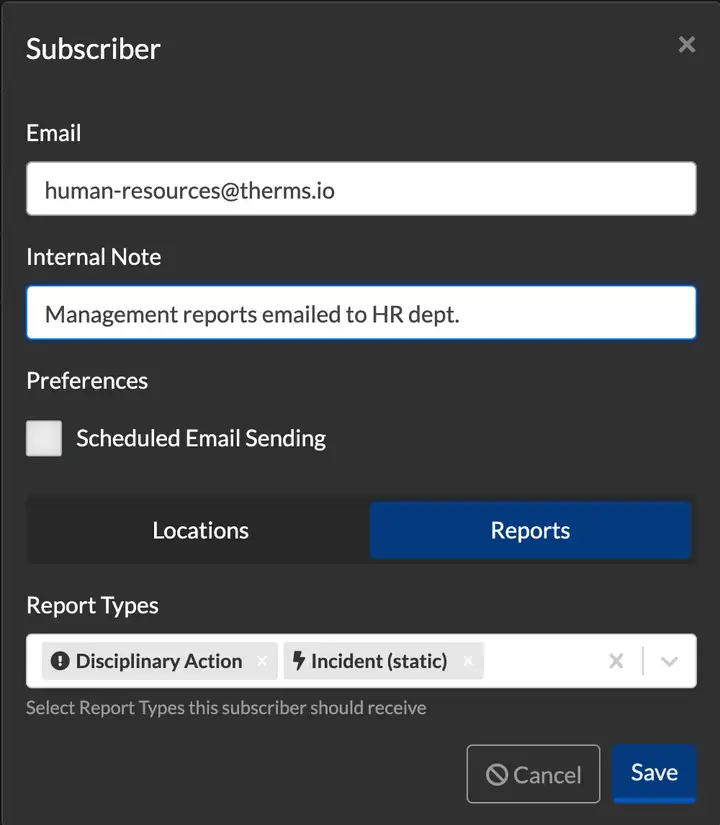
Add Email Subscriber to any Report Type
Previously, admins could only add an email Subscriber to Reports that were assigned to a Location. We have added the ability for admins to add an email Subscriber for any Report Type.
Setting the email Subscribers can be found under the Location or Reports screen by clicking the drop-down in the top-right and selecting "Email Subscribers". Or, by navigating here: https://app.therms.io/subscribers
In our example below, we have setup an email subscription for our "HR department" to receive important emails for Report Types that are not related to client Locations specifically:
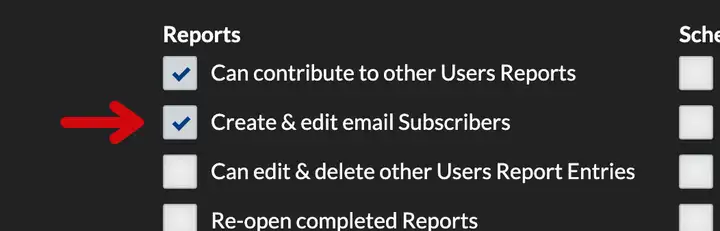
Note: new permissions have been added under Reports module when editing a User's permissions:
Download Single Report Entry PDF
We have added a download button to Report Entries. This should be useful for companies that have created a custom Parking Violation Report Entry and want to print these Report Entries while on patrol to place on the vehicle.
User Profile Reports
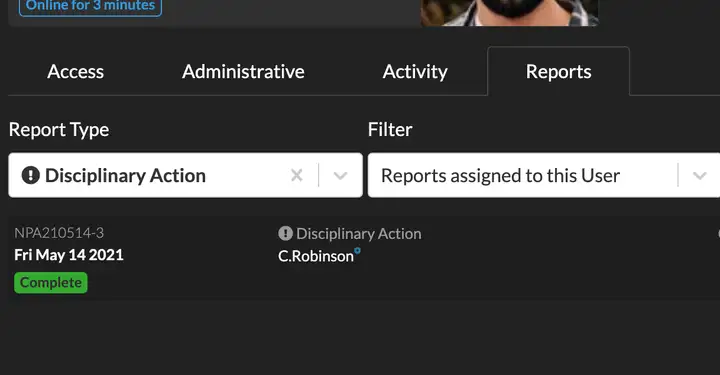
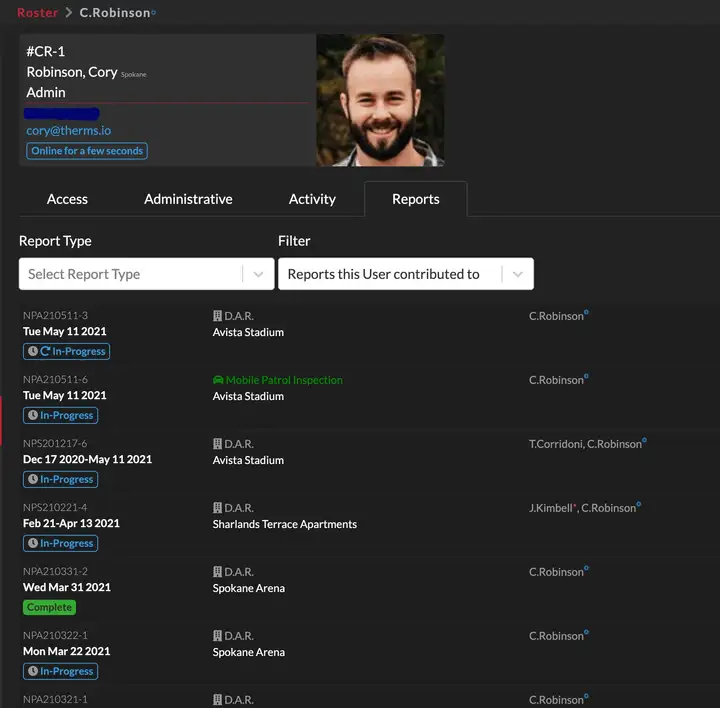
When you navigate to a User's profile screen and select "Reports" tab, you can now filter the Reports for that User.
This makes it easier for managers/admin to find Report Types such as a Disciplinary Action or Staff Peer Evaluation Report assigned to a specific User.
Many companies use THERMS Disciplinary Action and Staff Peer Evaluation to document and track employee performance for pay raises, justifying employment termination, etc..
We have released new features for Dispatch alerts and custom statuses and Record Flags. These features are available in the web-app and pending release in the mobile app stores.
Dispatch Audible Alerts
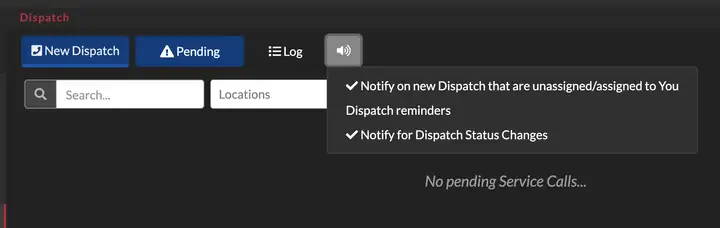
When a Dispatch is marked "Action Needed" the on-duty security or patrol officer needs to receive audible alerts. We have added an icon on the Dispatch screen that allows a User to turn on audible alerts for the device they are currently using.
Dispatch Statuses
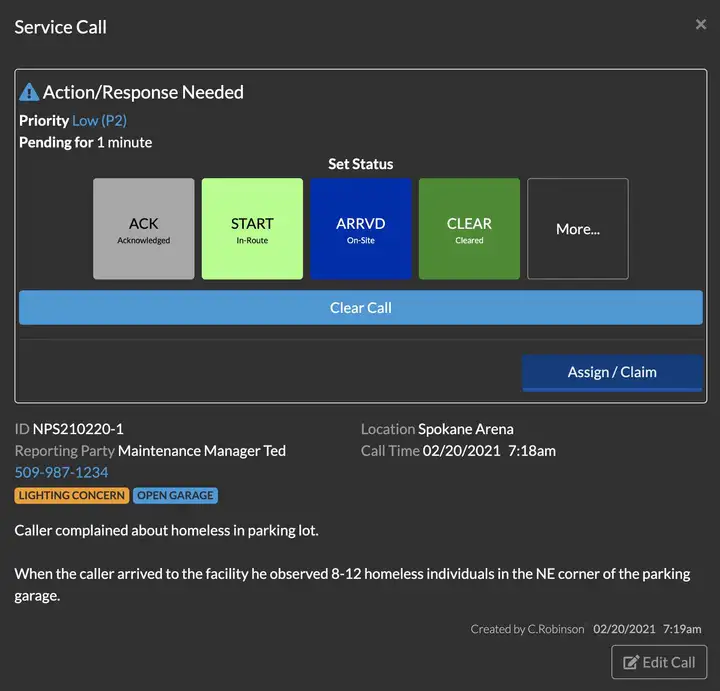
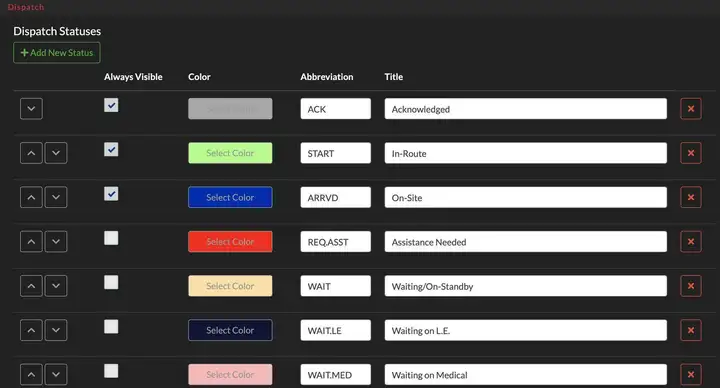
We have a new feature that allows Users to set a "status" of a Dispatch that is pending action.
These statuses can be customized to fit your operations specific needs. We have provided defaults such as "Acknowledged", "In-Route", "On-Site", etc..
If you wish to NOT use Dispatch Statuses in your organization account, simply delete all of the provided defaults.
Record Flags
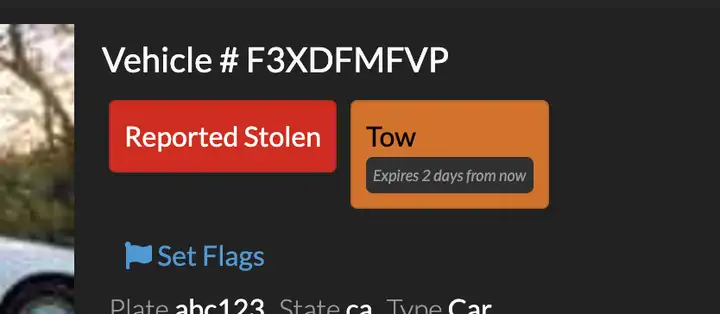
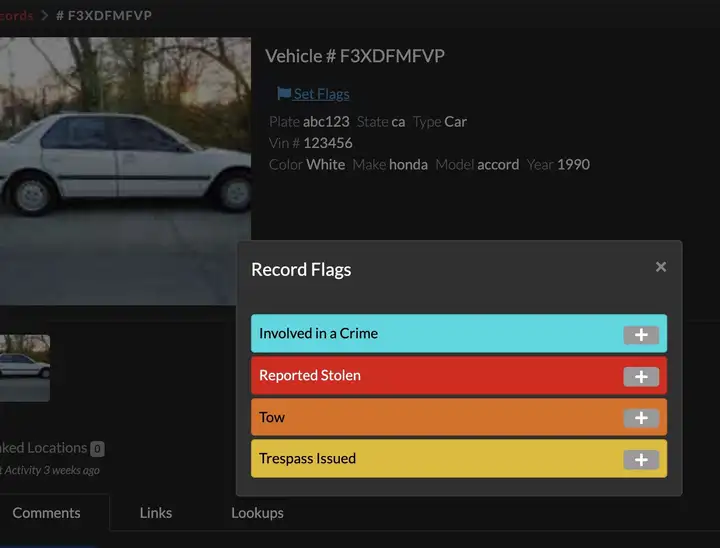
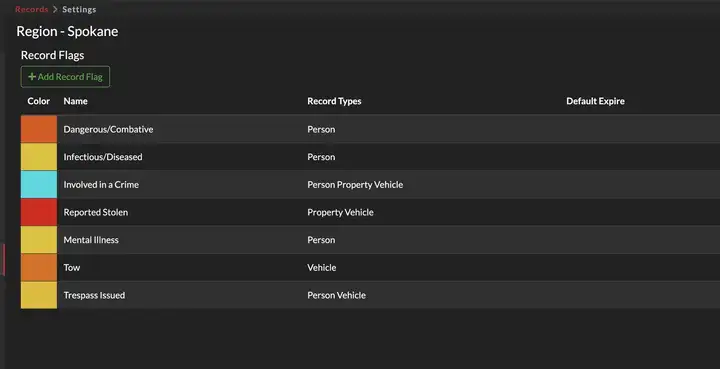
You can add "flags" to specific Records in your account. A Record Flag is defined with a color and name. These flags are intended to be useful for visually notifying a User of a specific status or safety alert.
These Record Flags can be customized also to fit your organization's operational needs. A User with the permissions to edit Record module settings can navigate here: https://app.therms.io/records/settings/
Our THERMS integrated Scheduling module has been added to the dashboard. This is an early preview for those who are interested in moving their scheduling for operations and shifts in THERMS. You can turn this module on in the Admin > Modules page.
The features are very basic at this time and will be greatly enhanced over the coming weeks. The current list of features offers:
Building a weekly schedule for Location & Patrol Route shifts
Assigning shifts and positions
Editing and publishing schedule changes
Clock-in/out of shifts
Viewing who's On-Duty
What to expect in the upcoming weeks:
Additional functions for building your weekly schedule such as copying a previous weeks schedule as a template
Email/Text notifications of shifts and reminders
User's can confirm their assigned shifts
GPS/Geo-Fencing for clocking-in on shifts
The ability to clock-in without an assigned shift
Exporting time logs (clock-in/out & breaks) for payroll & administrative purposes
Employee availability for building schedules
As always, we rely on your feedback and recommendations to improve the software to meet the demands of your team. Please email [email protected] if you have any questions or comments.
* If you have previously downloaded the Android app, please make sure your app is up to date and you are not running the beta version.
THERMS Android App Features & Availability
The mobile app does not provide all of the same functionality that is available in the web app. Administrative tasks such as creating Locations, editing email subscribers, managing Users, etc. must be done in the web app. The mobile app features are streamlined for the on-duty officer to read/review duties and info and document/report information related to their work.
As of today, August 6th, we are still working on improvements and adding features to the mobile app to increase the utility of the mobile app in the THERMS software suite. If something is missing that you think is important, please tap the icon on the app home screen, "Bug/Issue" and provide details.
If you have questions, concerns or ideas, please reach out to [email protected]
We have a deployed a new release with features, enhancements and improvements to THERMS. Below is a brief outline of what was included in this release.
We are also still in the process of working on the mobile apps for Android & iOS which are on track for this spring 2020. Also, in the next few releases we expect to have QR Code scanning, Scheduling, Shifts & Duty Status and Vehicle Patrol mode completed.
If you would like more information or have thoughts or ideas for more improvements, please let us know [email protected].
Platform Enhancements & New Features
Dashboard
Added a "Create BOLO" button shortcut to the BOLO card on the Dashboard
Added a "Create Record" button shortcut to the Records card on the Dashboard
The Records card on the Dashboard will now only display the last 10 Records created or updated for the last week.
Dispatch
Service Calls form for clearing the call now allows the User to add Activity Types, link Records and attach files/images to the disposition.
Reports
GPS Tagging If your Organization has the beta feature turned on in Report > Settings page, you will notice a new GPS Tagging Input on Report Entries that use GPS Tagging. Thanks for the feedback to all the Admin/Managers who reported issues or quarks - these have all been addressed and fixed. www.therms.io/user-gps-tags-in-reports
Dispatch Service Calls that are attached to Report Entries now only have the pertinent information about the incoming Dispatch call. The only information shown in the Service Call Report Entry is the caller name, call time, arrived time, cleared time and disposition text.
Locations
Active BOLO & Pass Down count is now shown on the Location tab bar as well as on the Location card when you hover your cursor over a Location's name text. Also, in Reports that have a Location selected, there are 2 small icons that will appear next to a Location name to indicate that there are active BOLOs or Pass Down information.
Location BOLOs can now have files/images attached as well as Records.
Location Contacts can have a 2nd phone number added to their information.
Records
Automatically calculate the age of a Person record when entering their DOB
Users
When a User is de-activated they are immediately disconnected from THERMS on any devices they have logged in
Fixes & Improvements
Dispatch
Occasionally a Dispatch Service Call "Total Time" calculation would shown an incorrect calculation - this has been fixed
Reports
A Report Entry Type "Task" in a Report now lets the User select a Task to complete for the Locations assigned to the Report
When deleting a Report the screen no longer flashes "Report not found" text
Custom built Report Entry Types that have been saved with files/images can now be edited to remove files/images
Searching Reports for text in a Dispatch Service call that are linked in a Report Entry now appear in search results
Searching Reports for text or a Record that are linked in a Report Entry now show up in search results
Miscellaneous
Android devices bottom navbar no longer cuts off the bottom of THERMS screen/buttons
This post is for organizations that are currently using THERMS version 2 (2016) and interested in upgrading to the newest version 3 (2019).
The New Version of THERMS
This release is a complete rebuild of the THERMS software. It's been a long time coming with a lot of effort towards improving the reliability and efficiencies THERMS provides for security teams.
Because the new version is a rebuild from the ground up, there is a migration step that is required to be ran by an organization admin user (a user with admin permissions). This migration step will copy most of the data in your THERMS account to the new version. Unfortunately, we will not be migrating all archived Reports or Dispatch records, however, they will still remain available for as long as you have a THERMS subscription (paid account), more details on this below.
What's New
There are dozens of new features in THERMS, for brevity, we'll cover a few of the major improvements that most organizations will use:
Report Automatic Completion & Approval
The most requested feature in THERMS for several years has been the ability to bypass the Report review/approval step which was required before a Report was marked completed and then emailed. You will now be able to customize which Reports and which Users are required to be reviewed and approved or completely bypass this feature.
In the old version of THERMS, there was only 1 type of Report and only a few Report Entry type forms that could be added to a Report. You can now create custom Report Types with the drag and drop Report builder. This allows your organization to create any amount of custom Report Types and forms you require your security staff and team to complete. There are also over a dozen built-in Report Types and Report Entry type forms:
Camera Monitoring
Disciplinary Action
Equipment DLS
Fire Watch
Investigation
Location
Loss Prevention
On-Duty Injury
Special Event
Staff/Peer Evaluation
Use of Force
Vehicle Accident
Arrest
Camera Activity
Disciplinary Action
Dispatch Service Call
Foot Patrol
General
Interview
Observation
On-Duty Injury
Retail Theft
Witness Statement
Special Task
Vehicle Patrol
Dispatch Record Types
In the previous version there was only 1 type of Dispatch record that was created only to be used as a "Service Call" when a resident called from a Location with information or requesting security response. In the new version you now have 2 Dispatch Record types that can be used separately:
Dispatch Service Call - Used to log a resident/customer calling to report security related information at a Location or request assistance
Duty Status Check Update - If your operations requires staff to call in to provide a status updated, check-in/off duty, lunch, etc. this will be a useful Dispatch Record type.
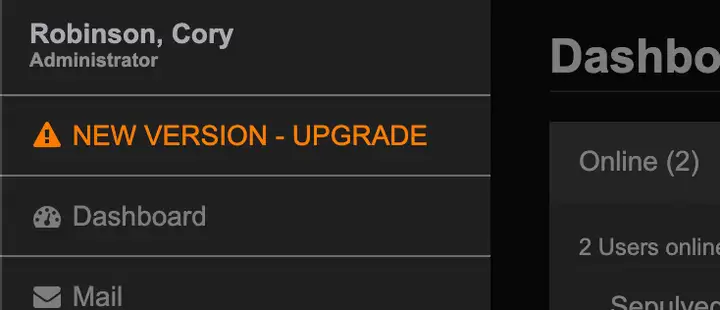
Over the next few weeks we will be flagging organization accounts for upgrade. You will know when your account is eligible for the upgrade when you have a link in your menu "NEW VERSION - UPGRADE" (This will only be visible to admin users):
Accessing Archived Reports & Data
If you migrate from the old version to the new version and maintain a paid subscription, your data will be preserved. There is one caveat to accessing old THERMS version data, only admin users will have access to login to the old version. The old version will be available here: https://v2.therms.io/login
If you have any questions or need assistance please reach out with an email [email protected]
We use cookies to understand how visitors use our site and to improve your
experience. See our
Privacy Policy
.